nuggan
Deployment
Nuggan can be deployed as a standalone service or on serverless platforms like AWS Lambda.
Best Practice: Access a deployed Nuggan through a CDN for optimal performance and caching.
Standalone Deployment
Deploy Nuggan as a standalone HTTP service behind a reverse proxy, load balancer, or directly:
./nuggan -server ':8080' -server-config server.conf
See Usage Guide for configuration options and examples.
Docker Deployment
See the Usage Guide — Docker section for containerized deployment instructions.
AWS Lambda
Deploy Nuggan as a Go Lambda Handler on AWS.
Step 1: Create Lambda Distribution
Create a compatible AWS Lambda deployment package:
./scripts/aws-lambda-build.sh
This generates a ZIP file compatible with the Go 1.x runtime.
Step 2: Create Lambda Function
In the AWS Management Console:
- Navigate to Lambda and click Create Function.
- Configure:
- Function name: Choose any name (e.g.,
nuggan-image-optimizer) - Runtime:
Go 1.x - Permissions: Keep defaults
- Function name: Choose any name (e.g.,
- Click Create Function.
Step 3: Upload Function Code
In the created function page:
- Under Function code, change Code entry type to
Upload a .zip file. - Click Upload and select the ZIP file from Step 1.
- Set Handler to
nuggan.sh.
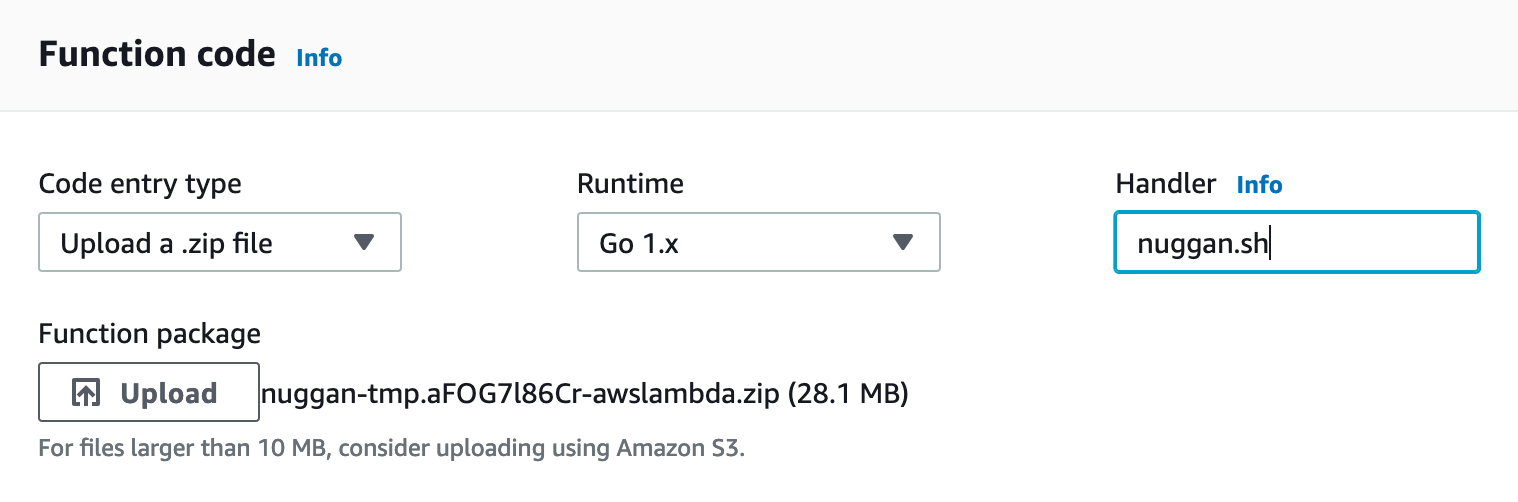
- Click Save.
Step 4: Create API Gateway
In the AWS Management Console:
- Navigate to API Gateway.
- Choose HTTP API and click Build.
- Under Create and configure integrations:
- Integration type:
Lambda - Lambda function: Select the Nuggan function created above
- API name: Choose any name (e.g.,
nuggan-api)
- Integration type:
- Click Next.
Step 5: Configure Routes
In the Create and configure routes screen:
- Set Resource path to
/{proxy+}(this forwards all requests to the Lambda function) - Click Next.
Step 6: Create Stages
In the Create and configure stages screen, keep the default values and click Create.
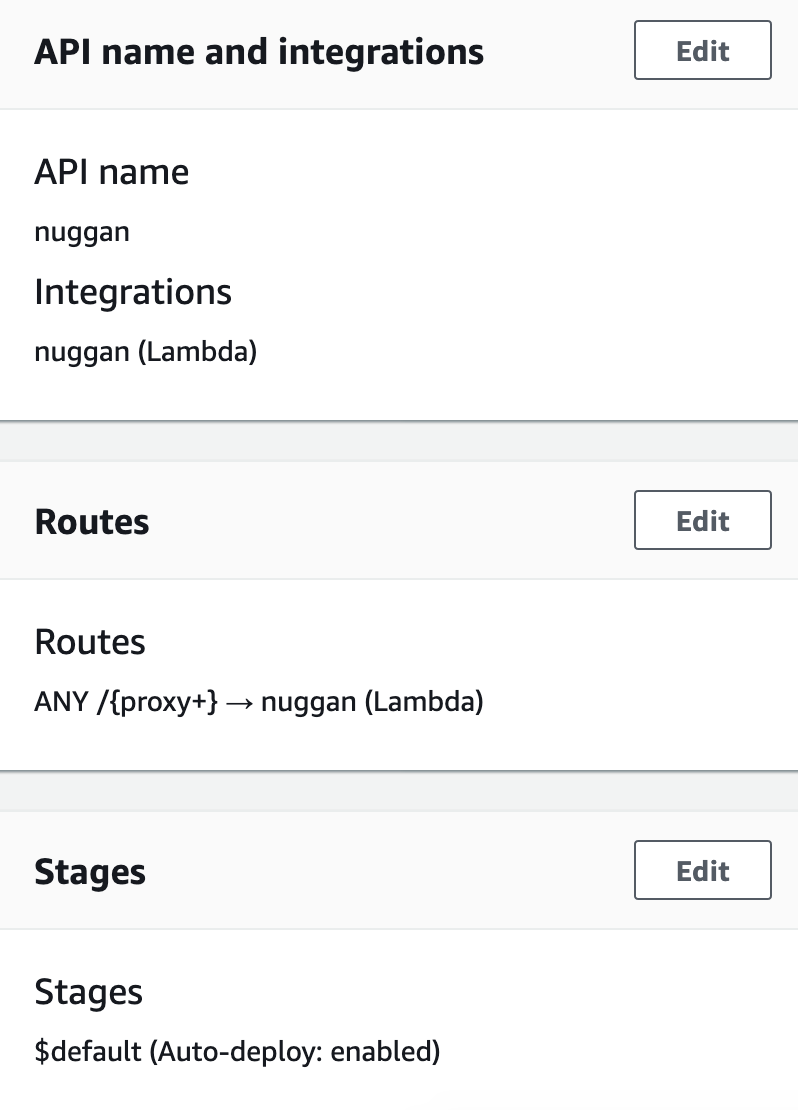
Deployment Complete
Your Nuggan service is now deployed and accessible through the API Gateway endpoint. Use the endpoint URL provided by API Gateway to make image requests.
Example request:
https://<api-gateway-id>.execute-api.us-east-1.amazonaws.com/optimg/0/0/-/-/-/-/-/_2_L3BvcHRvY2F0X3YyLnBuZw==/image.png
Replace the base URL and parameters as needed for your use case.